
Select your language

Social Dude
How Do I Fix QuickBooks Error PS038 When Payroll Won't Update?

QuickBooks Error PS038 stops your payroll update cold — and the frustrating part is it often appears even when your subscription is active and your internet is working fine. This guide walks you through exactly what's happening and how to fix it, from the quickest checks to the deeper repairs.
What Is QuickBooks Error PS038?
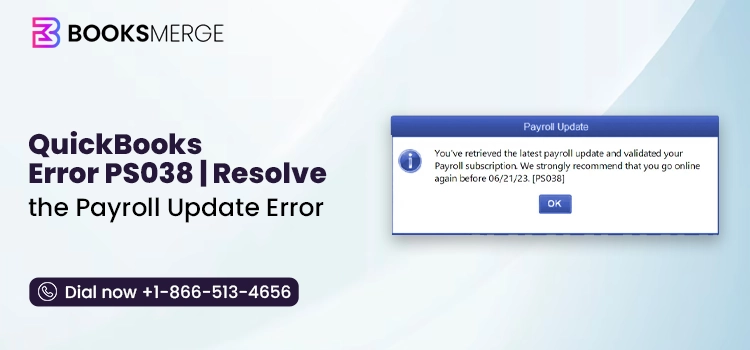
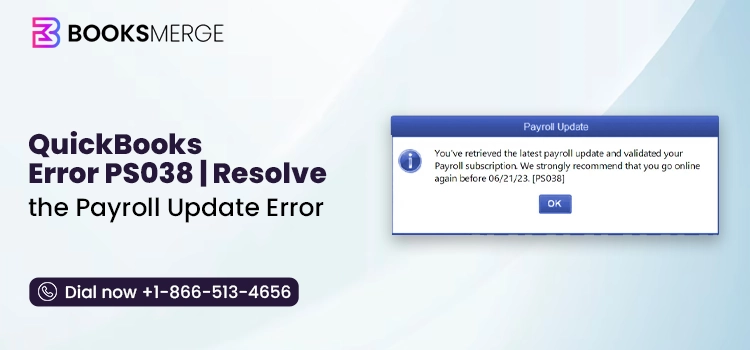
PS038 is a payroll transmission error in QuickBooks Desktop. It appears when QuickBooks cannot send payroll data to Intuit's servers, which prevents the payroll update from completing. The error message typically reads:
"You've retrieved the latest payroll update and validated your Payroll subscription. We strongly recommend that you go online again before [DATE]. [PS038]"
The update process appears to run — sometimes it even says it succeeded — but PS038 surfaces at the end, and payroll remains blocked. This happens because the error lives in your payroll data queue, not in the update process itself.
What Causes PS038 When Payroll Won't Update?
Before jumping into fixes, understanding the cause saves you from applying the wrong solution first.
Stuck paychecks marked "Online to Send"
This is the most common cause by a significant margin. One or more paychecks in your system are queued to transmit to Intuit but never completed the send. QuickBooks cannot finish a payroll update while these stuck transactions are sitting in the queue — so every update attempt hits the same wall.
Outdated QuickBooks Desktop release
The payroll tax tables and the QuickBooks application itself are separate updates. Users frequently update the tax tables but skip the application release update. An outdated application can fail to communicate properly with Intuit's payroll servers, surfacing as PS038.
Corrupted company file
Internal damage to your QBW company file can prevent payroll data from being packaged and sent correctly. The update starts, reaches the transmission stage, and fails — because the underlying data it's trying to send is structurally compromised.
Corrupted CPS folder
QuickBooks stores downloaded payroll update files in the CPS folder. If this folder is damaged, the update installs broken components and immediately signals that another update is required — creating a loop that never clears PS038.
Firewall or antivirus blocking Intuit's servers
Security software that blocks QuickBooks from reaching Intuit's payroll servers will cause PS038 on every update attempt, regardless of what else you fix. This is particularly common after a Windows update or a new antivirus installation.
Inactive or unvalidated payroll subscription
An expired subscription, a billing information mismatch, or a stale service key in QuickBooks can all prevent Intuit from confirming your payroll entitlement — which blocks updates from completing.
Damaged or incomplete payroll update installation
If a previous payroll update was interrupted mid-install — due to a crash, a forced close, or a network drop — it can leave broken components behind that prevent subsequent updates from running cleanly.
How to Fix QuickBooks Error PS038 — Complete Walkthrough
Work through these solutions in order. After each step, restart QuickBooks and attempt a payroll update to check if PS038 clears before moving to the next fix.
Solution 1 — Back Up Before You Begin
This is not optional. Before touching payroll data or running any repair tool, create a local backup.
Go to File → Back Up Company → Create Local Backup. Save it somewhere you can easily find it. If any subsequent step causes an unintended change to your payroll records, this backup is your recovery point.
Solution 2 — Update QuickBooks Desktop to the Latest Release
Most users update payroll tax tables regularly but don't update the QuickBooks Desktop application itself. An outdated application is one of the cleaner PS038 fixes when it applies.
Go to Help → Update QuickBooks Desktop → Update Now tab. Check the Reset Updates checkbox — this ensures you get a full fresh update rather than an incremental patch. Click Get Updates, let the download complete, then close QuickBooks and reopen it. Install any updates that are prompted on restart, then run your payroll update again.
Solution 3 — Send Payroll Data Manually
Before hunting for stuck paychecks, try forcing a manual transmission first. This sometimes clears a simple queue blockage without needing to touch individual paychecks.
Go to Employees → My Payroll Service → Send Usage Data. If that option isn't visible, go to Employees → Send Payroll Data and click Send All. Enter your payroll service PIN when prompted.
After the send completes, run your payroll update. If PS038 clears here, the issue was a straightforward pending transmission rather than a corrupted file.
Solution 4 — Find and Clear Stuck Paychecks
If the manual send didn't resolve it, stuck paychecks are almost certainly the root cause. You need to locate them and reset their status.
Finding the stuck paychecks:
Go to Edit → Find → Advanced tab. Set the filter to Detail Level = Summary Only and Online Status = Online to Send. Click Find. QuickBooks will list every paycheck sitting in the stuck queue.
If no results appear in Find, press F2 then F3 to open the Tech Help window, go to the Open File tab, and open QBWin.log. Press Ctrl + F and search for "PS038" or "Online to Send" — this log often reveals stuck transactions that don't appear in the standard Find tool.
Clearing the stuck paychecks:
Open each paycheck from the list and click Paycheck Detail. In the Earnings tab, locate the last line item and re-add it as a duplicate — QuickBooks will prompt "Net Pay Locked," click Yes. Then delete the duplicate item you just added and save the paycheck.
This toggle process forces QuickBooks to re-save the paycheck and clears its "Online to Send" status without changing any payroll figures. Work through every paycheck in the list, then send payroll data again and run your update.
Solution 5 — Verify and Rebuild Your Company File
If stuck paychecks are cleared but PS038 persists, data corruption in your company file is the next likely cause.
Go to File → Utilities → Verify Data. Allow QuickBooks to scan your file completely. If the scan reports errors, go to File → Utilities → Rebuild Data. QuickBooks will prompt you to save a backup before rebuilding — do it. Let the rebuild run to completion, then run Verify Data again to confirm the errors are resolved.
After rebuilding, send payroll data and run your payroll update.
Solution 6 — Rename the CPS Folder
Renaming the CPS folder forces QuickBooks to build a fresh one, eliminating any corrupted payroll update files that are causing the loop.
Close QuickBooks completely. Open File Explorer and navigate to:
C:\ProgramData\Intuit\QuickBooks [year]\Components\OLB\payroll\CPS
Right-click the CPS folder and rename it CPS.OLD. Reopen QuickBooks and run a payroll update — it will automatically recreate the CPS folder and download fresh update files.
Note: ProgramData is a hidden folder. If you don't see it, go to View → Show → Hidden Items in File Explorer.
Solution 7 — Verify and Refresh Your Payroll Subscription
An active subscription that QuickBooks hasn't successfully re-validated can cause PS038 on every update attempt.
Go to Employees → My Payroll Service → Account/Billing Information. Log in with your Intuit credentials and confirm the subscription is active and your billing information is current — particularly the billing address, which must match your Intuit account exactly.
If the subscription shows active but the error persists, refresh your service key. Go to Employees → My Payroll Service → Manage Service Key. Select your key and click Edit. Re-enter the service key exactly as it appears, click Next, then Finish. This forces QuickBooks to re-validate your entitlement with Intuit's servers fresh.
Solution 8 — Configure Windows Firewall for QuickBooks
If your firewall is blocking Intuit's payroll servers, PS038 will return on every update cycle regardless of what else you've fixed.
Open Windows Defender Firewall → Allow an app or feature through Windows Defender Firewall. Confirm that QuickBooks Desktop and QBDBMgrN (QuickBooks Database Manager) appear in the list and are checked for both Private and Public networks. If they're missing, click Allow another app and add them manually.
Also check your third-party antivirus software and add QuickBooks as a trusted application or exclusion. After adjusting firewall settings, restart your computer and run the payroll update.
Solution 9 — Run QuickBooks Tool Hub
QuickBooks Tool Hub is Intuit's official repair utility and handles several common PS038 triggers automatically.
Download the latest version of QuickBooks Tool Hub from Intuit's website. Open it and run Quick Fix my Program under the Program Problems tab — this closes background QuickBooks processes and repairs common application issues. Then go to Company File Issues and run QuickBooks File Doctor, which scans and repairs company file and network data file damage.
Restart QuickBooks after the tools complete and run your payroll update again.
Solution 10 — Run QuickBooks as Administrator
Insufficient permissions can silently block QuickBooks from writing payroll update files or transmitting data to Intuit's servers.
Close QuickBooks. Right-click the QuickBooks Desktop icon and select Run as Administrator. Attempt your payroll update from this elevated session. If PS038 clears, you'll want to permanently configure QuickBooks to run as administrator — right-click the icon, go to Properties → Compatibility tab, and check Run this program as an administrator.
Quick Reference — PS038 Causes and Solutions
| Cause | Solution |
| Stuck "Online to Send" paychecks | Solution 4 — Find and toggle stuck paychecks |
| Outdated QuickBooks Desktop release | Solution 2 — Update with Reset Updates |
| Company file corruption | Solution 5 — Verify and Rebuild Data |
| Corrupted CPS folder | Solution 6 — Rename CPS to CPS.OLD |
| Firewall blocking Intuit servers | Solution 8 — Configure Windows Firewall |
| Inactive or unvalidated subscription | Solution 7 — Verify and refresh service key |
| Insufficient user permissions | Solution 10 — Run as Administrator |
| General program or file damage | Solution 9 — QuickBooks Tool Hub |
PS038 vs. Similar Payroll Errors
PS038 is frequently confused with other PSXXX errors because the symptoms overlap. Knowing the distinction prevents you from applying the wrong fix:
PS038 — Stuck paychecks in "Online to Send" status blocking payroll data transmission. Fix centers on clearing the stuck queue and repairing the company file.
PS033 — Damaged payroll subscription entitlement file (entitlementdatastore.ecml). Fix requires renaming or deleting the ECML file to force a fresh download. If you're seeing PS033 alongside PS038, handle PS033 first.
PS036 — Multiple active payroll files detected, or subscription status is incorrect. Fix involves verifying the subscription and removing duplicate payroll data files.
PS077 — Service key doesn't match the billing address on the Intuit account. Fix requires updating billing information and re-entering the service key.
If your error code confirms PS038 specifically, start with Solution 4 — stuck paychecks are the cause in the majority of cases.
How to Prevent PS038 From Recurring
Once resolved, these habits keep PS038 from coming back:
- Send payroll data after every payroll run — don't let paychecks accumulate in the queue between runs
- Keep QuickBooks Desktop updated — both the application release and the payroll tax tables, separately
- Never force-close QuickBooks during a payroll update — always let the transmission finish before closing
- Maintain a stable internet connection during payroll processing — interrupting a send mid-transmission is a leading cause of stuck paychecks
- Run Verify Data quarterly — catching company file corruption early prevents it from becoming a PS038 trigger
- Check your Intuit billing information before renewal dates — a lapsed or mis-matched subscription is one of the fastest ways to re-enter the PS038 loop
Frequently Asked Questions
Why does my payroll update say it succeeded but PS038 still appears?
The update process and the payroll data transmission are two separate operations. The update can complete successfully while stuck paychecks in your queue continue blocking data transmission — which immediately re-triggers PS038 on your next payroll cycle. Clearing the stuck paychecks resolves this.
Can PS038 delay my employees' direct deposits?
Yes. When PS038 is active, QuickBooks cannot send payroll data to Intuit's servers. If direct deposits are part of your payroll workflow, PS038 can block the submission and delay payments. Prioritize resolving it before your next payroll date.
Do I need to reinstall QuickBooks to fix PS038?
Rarely. The solutions above resolve the vast majority of PS038 cases without reinstallation. A clean reinstall is only necessary when the QuickBooks application itself is deeply damaged — typically indicated by Tool Hub being unable to repair the program files.
Is it safe to edit paychecks to clear PS038?
The toggle method is recommended by Intuit and is safe when done carefully. The critical rule is that net pay and tax amounts must remain identical after the process. If you're working with many stuck paychecks or are uncertain about editing historical payroll records, professional assistance is the safer path.
What if PS038 comes back after I fix it?
A recurring PS038 usually means either the root cause wasn't fully resolved (partial file corruption, firewall still blocking) or a new stuck paycheck was created. Run Verify Data and check your payroll queue after the next payroll run to catch it early.
Will this error affect my QuickBooks Desktop subscription?
PS038 is a payroll data error, not a licensing error. It does not affect your QuickBooks Desktop subscription or license. It only affects payroll update functionality until resolved.
If you've worked through every solution above and PS038 is still blocking your payroll update, the issue has moved into territory that requires direct access to your company file and payroll configuration — deep data corruption, a server-side validation conflict, or a damaged installation that standard tools can't reach.
At that point, call 1-866-513-4656. The BooksMerge QuickBooks help team handles advanced PS038 cases including stuck paycheck clearing at scale, company file repair, and subscription re-validation — without putting your payroll data at risk.
About the author
Categories










Comments